Project story · QA engineering · AI-assisted development
Workflow Tracker: Building a QA Foundation with AI
I wanted to show how I would build QA largely from the ground up. I had an interview to prepare for, limited time, and years of testing experience—but not a background in building Java web applications. Could AI help me create a realistic demonstration without losing control of the engineering decisions?
The situation
During an interview process for a QA role, I wanted to show how I would approach establishing QA practices and automation largely from the ground up. That work is bigger than a handful of test scripts: requirements, coverage, repeatable regression testing, and an approach a team can maintain.
I wanted to demonstrate how I would tackle that work. But a meaningful testing demonstration needs something realistic to test. Building an application, its documentation, and a testing system by hand would take more time than an interview proof of concept justified.
I brought years of experience in software quality, requirements analysis, system testing, and test design. What I didn't bring was extensive hands-on Java/Spring Boot application development experience, and parts of the automation stack were new to me. AI offered a way to bridge that implementation gap without treating unfamiliar syntax as the main problem to solve.
The approach
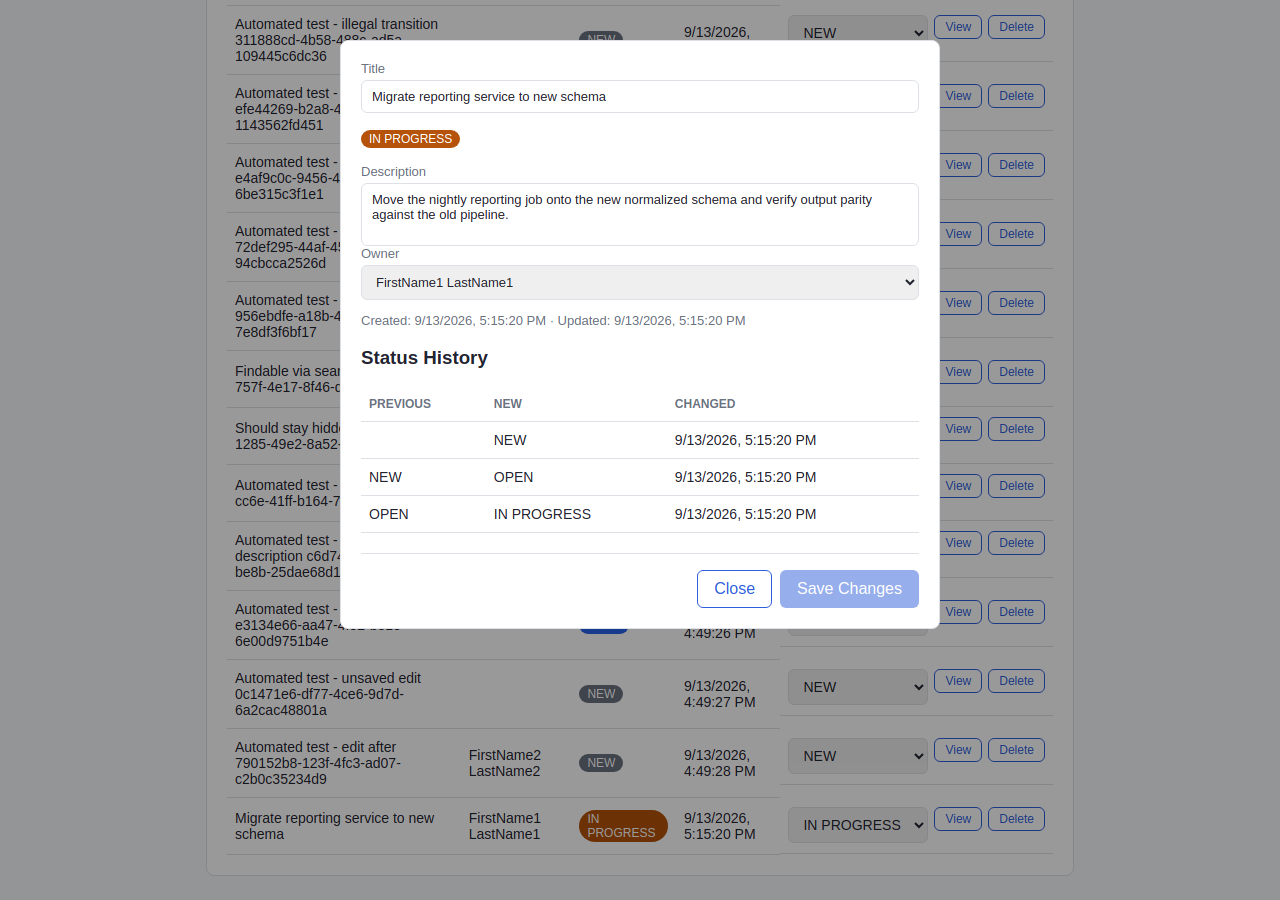
I used ChatGPT and Claude Code to help create a small workflow application: work items can be assigned to owners, edited, moved through defined statuses, and reviewed through their status history. The application was never the main deliverable. It was a controllable, realistic system against which to demonstrate QA engineering.
I directed the problem-solving, requirements, testing priorities, architectural choices, review, and validation. AI accelerated implementation, investigation, and documentation. The aim was not to automate every possible activity; it was to get useful evidence quickly and know whether to trust it.
The timeline was short. I committed the initial application and Playwright UI suite on September 10, 2026, then separated the black-box tests into their own repository and added CI on September 11. My next interview was less than a week away. I shared the initial proof of concept during the interview process and continued developing the project independently afterward. The capabilities below reflect the current repositories, not necessarily what existed at the time.
Making the behavior testable
The project grew from a simple application idea into six lightweight user stories with numbered acceptance criteria, shared interface conventions, and explicit scope boundaries. Tests are mapped back to expected behavior, making it possible to discuss coverage in terms of requirements rather than just test counts.
Testing also improved the requirements. Exploring invalid owner identifiers, blank titles, and unassigned work items exposed behaviors that had not been specified. Those gaps became acceptance criteria before corresponding regression tests were added.
Choosing the right kind of testing
The QA system lives in its own repository and treats the application as a black box. Browser tests check user interaction and representative workflows. API tests check business rules and service responses. Read-only SQL checks verify what was actually persisted in the database—even when an application response appears correct.
Manual testing still has a place. An early set of 27 scripted manual cases was refined to six meaningful user workflows. Repetitive, deterministic checks moved to automation; open-ended questions moved to an exploratory testing charter. The goal was less duplicated effort, not less confidence.
Putting regression into the workflow
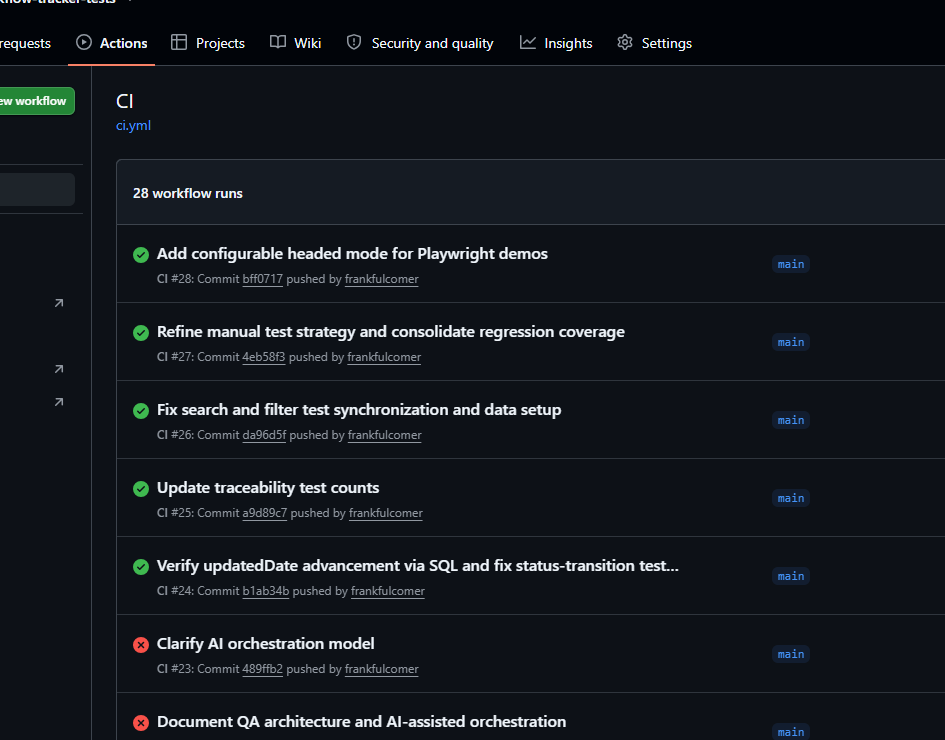
GitHub Actions builds the application on changes to its main branch. After a successful build, it triggers the separate QA repository with the exact application commit identifier. The test workflow starts that revision of the application, runs the UI, API, and database tests, and saves reports and logs.
That separation matters: the tests don't rely on the application's internal classes, and the regression run is tied to the revision that triggered it—not whichever revision happens to be latest later.
What the failures taught me
One browser test consistently passed locally and failed in CI. Rather than adding an arbitrary delay or weakening the assertion, I compared execution evidence and traced the problem to closely spaced form submissions and asynchronous handling. The test synchronization was corrected in the shared Page Object; the underlying application risk was recorded separately for future work.
Other findings were deliberately documented rather than immediately fixed, including an API error response that exposed an internal Java type. Not every discovery needs to become an unplanned change to the current scope.
What I took away
AI made it practical to move from an interview problem to a working QA demonstration despite limited familiarity with parts of the development stack. But speed alone was not the measure of success. Requirements still needed scrutiny, test results needed investigation, and the work needed boundaries.
For me, the lasting lesson is that AI can expand implementation capacity while experienced QA judgment determines what to build, what to verify, and when the evidence is good enough.
Where it led
After the interview, I continued developing Workflow Tracker to challenge myself with unfamiliar technologies and AI-assisted engineering. As the testing approach matured, I found a more immediate problem worth solving: managing my own job search more effectively. The next project, Job Search Hub, took those lessons into a practical application I could use.
Testing and verification
Categories describe the kinds of checks used or planned; they are not additive test counts. Planned checks are identified explicitly.
UI / E2E
Browser interactions and complete workflows
Playwright automatedAPI
Endpoints, contracts, and business rules
REST Assured automatedDatabase
Persistence, integrity, and history
Read-only SQL checksManual / Exploratory
Human-led workflows, investigations, and charters
6 workflows and exploratory charterFor source code, architecture decisions, acceptance criteria, traceability, test cases, and CI configuration, start with the QA repository. The application repository contains the test target and product stories.